Taiga + Scrum Usage Guide
This document explains how to use Taiga to manage projects using the Scrum framework.
Overview of Taiga
Taiga is an open-source agile project management platform supporting Scrum and Kanban.
With Scrum, Taiga provides:
Product Backlog management
Sprint planning
User Stories and Tasks
Epics
Scrum board (To Do / In Progress / Done)
Burndown charts
Backlog prioritization
Team roles and permissions
Key Scrum Components in Taiga
Product Backlog
Feature |
Description |
|---|---|
User Stories |
Core backlog items with title, description, story points, status, and priority. |
Epics |
Large high-level features used to group multiple user stories. |
Backlog Ordering |
Drag-and-drop system for prioritizing the backlog. |
Project Setup
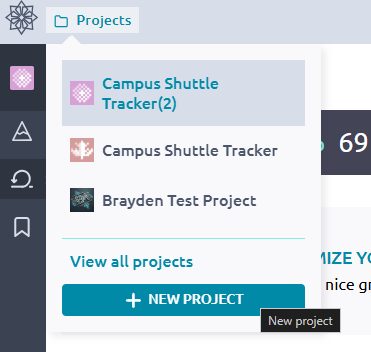
Creating a New Scrum Project
Log into Taiga.
Click Create Project.
Select Scrum as the workflow type.
Add team members and assign roles (Admin, Member, Viewer).
Managing the Product Backlog
Adding User Stories
Navigate to the Backlog page.
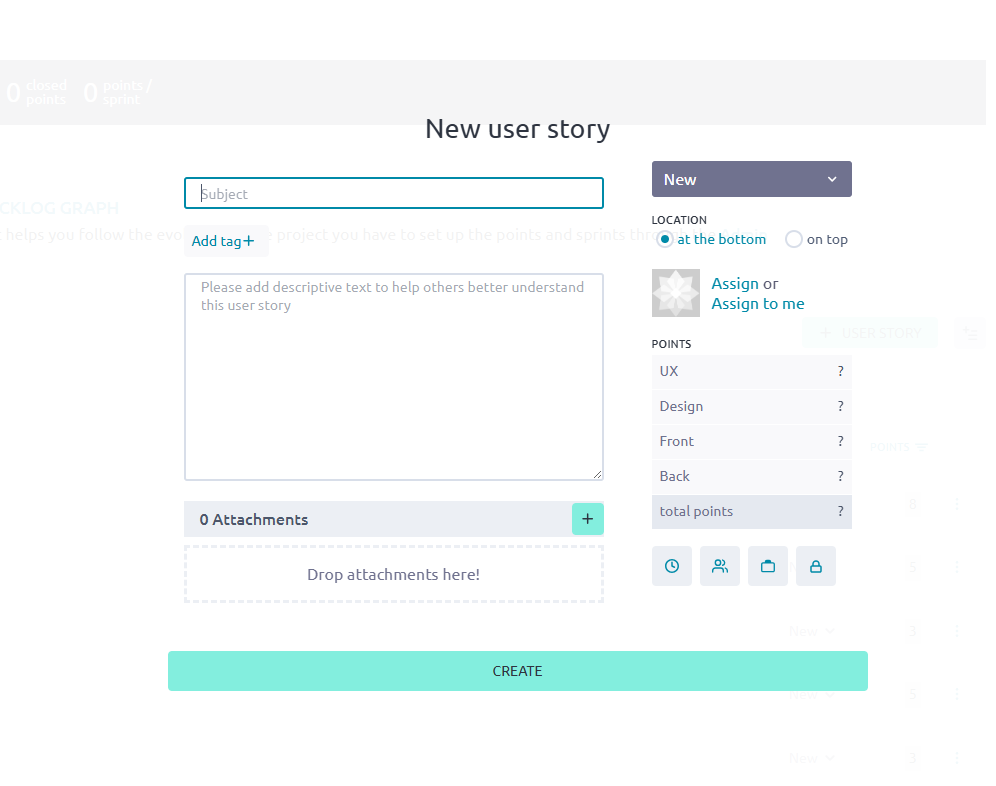
Click New User Story.
Fill in the following fields:
Title
Description
Acceptance Criteria
Story Points
Attachments (optional)
Assign the story to a team member (optional).
Using Epics
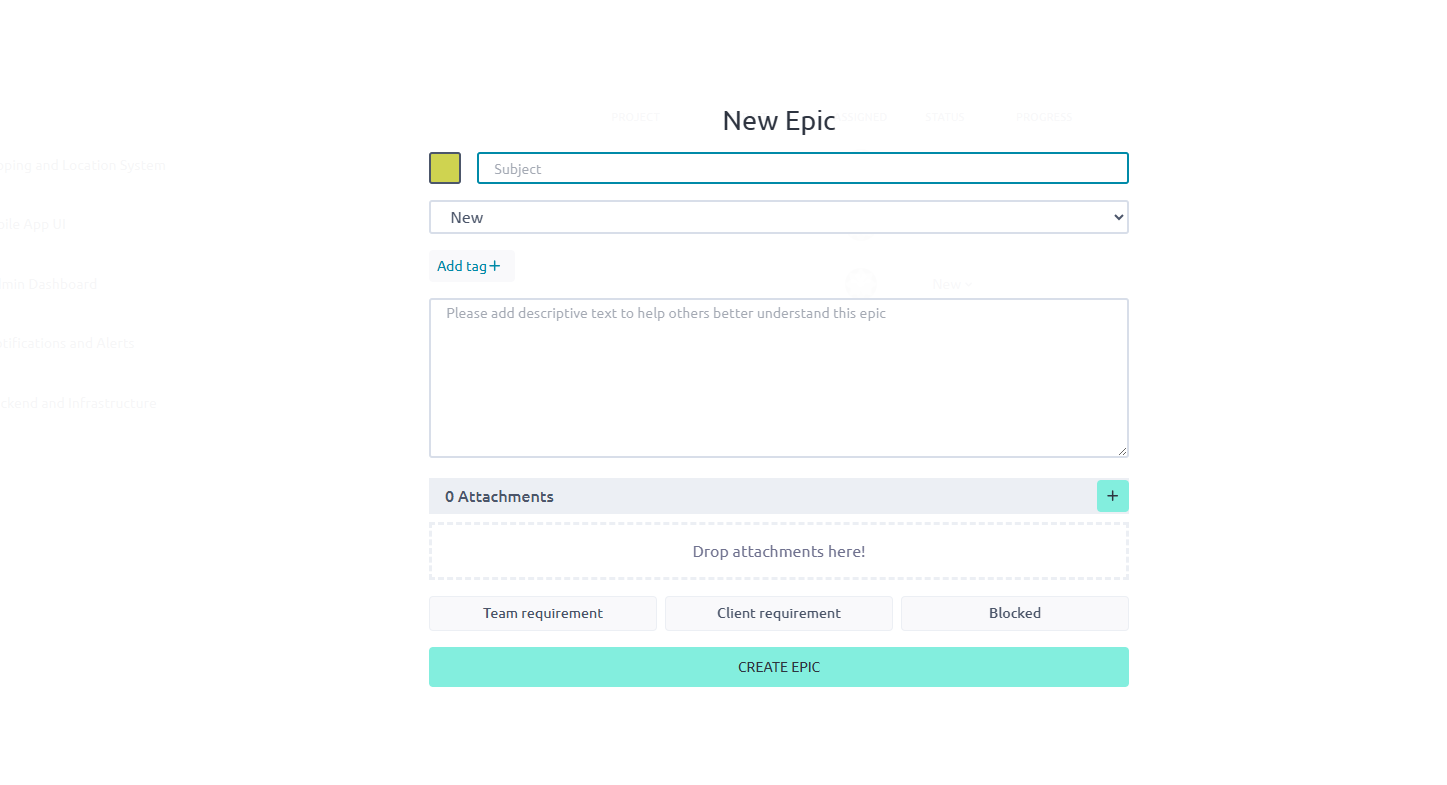
Navigate to the Epics page.
Create large functional or thematic groupings.
Link user stories to corresponding Epics.
Track progress per Epic with built-in indicators.
Sprint Planning
Planning a Sprint
Step |
Description |
|---|---|
Define Sprint Length |
Set your sprint duration (commonly 1–4 weeks). |
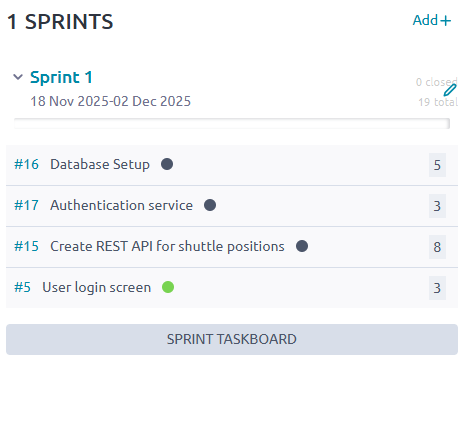
Select Stories |
Drag items from the backlog into the new sprint. |
Estimate Capacity |
Compare story points to previous sprint velocity. |
Create Tasks |
Break down stories into smaller actionable tasks. |
Starting the Sprint
Click Start Sprint to activate it.
The new sprint appears on the Scrum Board.
Using the Scrum Board (Daily Work)
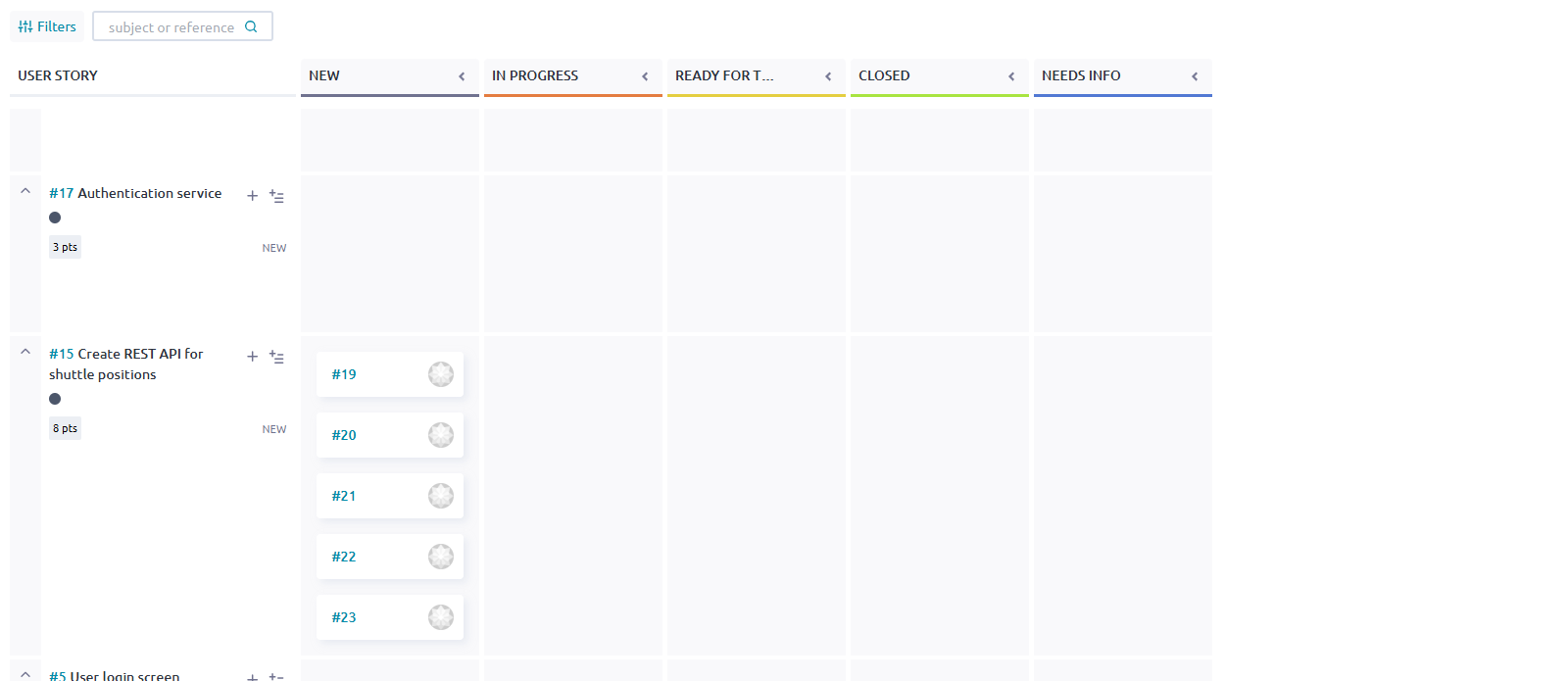
The Scrum board generally contains these columns:
To Do
In Progress
Ready for Test (optional, configurable)
Done
Team members can:
Move tasks/stories as work progresses.
Add comments and attachments.
Log hours worked.
Reference commits if GitHub/GitLab integration is enabled.
Tracking Progress
Burndown Chart
Found on the sprint page.
Shows remaining story points vs. time.
Indicates whether the team is ahead or behind schedule.
Velocity Tracking
Over multiple sprints, Taiga automatically captures:
Average team velocity
Completed story points per sprint
Sprint-over-sprint progress trends
Sprint Review and Retrospective
Sprint Review
Mark all finished stories as Done.
Review incomplete stories, returning them to the Backlog or moving them to a future sprint.
Add notes or attachments as needed.
Retrospective
If the Retrospectives module is enabled:
Add items under What went well.
Add items under What didn’t go well.
Add suggestions for Improvements.
Vote on the most important items.
Integrations
Tool |
Purpose |
|---|---|
GitHub / GitLab / Bitbucket |
Links commits and pull requests to stories automatically. |
Slack / Discord |
Sends project notifications to team chat. |
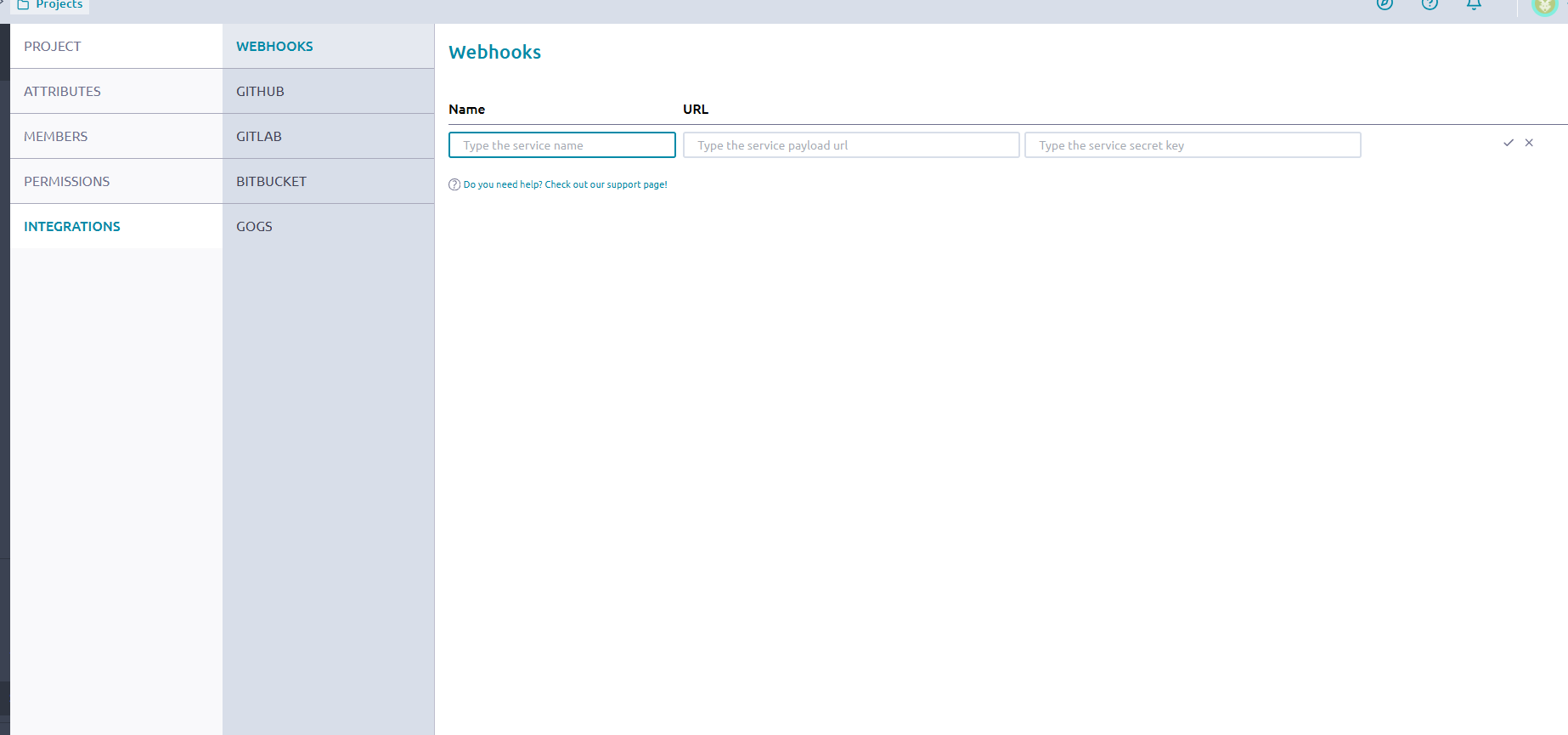
Webhooks |
Enables project automation and external triggers. |
Taiga API |
Allows custom dashboards, bots, or scripts. |
Best Practices for Scrum in Taiga
Keep user stories well-defined and independent.
Estimate story points before sprint planning meetings.
Use Epics to maintain structure in large projects.
Update the Scrum board daily.
Review the Burndown chart during standups.
Close sprints only after confirming story status accuracy.